



NEWYou can now listen to Fox News articles!
You ask an artificial intelligence assistant to download a popular software tool. It confidently finds the project, retrieves the files and starts setting everything up. There is one problem. The AI found the wrong project. That mistake may sound like another frustrating AI hallucination. However, researchers have shown how an attacker could turn that wrong answer into a malware delivery system.
The technique is called HalluSquatting. It targets AI tools that can browse the internet, retrieve software and run commands on your computer. An attacker could use it to steal sensitive information or quietly recruit your device into a botnet, a network of infected devices controlled remotely.
In a recent research paper, researchers from Tel Aviv University, Technion and Intuit detailed HalluSquatting and tested it against popular AI coding tools and personal assistants. Here is how the attack works and what you can do before an AI assistant downloads the wrong file.
Free live CyberGuy class: Sick of Spam? Join us July 22.
Join us Wednesday, July 22, at 1 p.m. ET for a free CyberGuy Live class that will help you cut down on robocalls, spam texts, junk email and other unwanted messages. Kurt “CyberGuy” Knutsson will walk you step by step through simple ways to filter spam, clean up your inbox and recognize the messages that could put your personal information at risk. No technical experience is needed. You’ll also receive our spam-stopping checklist, and every registrant will get a link to the class recording afterward.
Reserve your free spot today at CyberGuyLive.com.
HACKERS THREATEN TO LEAK DATA FROM 275M USERS AFTER BREACHING MAJOR COLLEGE PLATFORM USED NATIONWIDE
An AI assistant can invent a convincing software address and lead you straight to an attacker-controlled repository. (Photo by Donato Fasano/Getty Images)
What is the HalluSquatting AI attack?
AI hallucinations happen when a model invents information and presents it as accurate. That could be a fake statistic or a software project that never existed. HalluSquatting focuses on fake software resources.
AI coding assistants sometimes need the full online address of a software repository. However, you may only give the assistant a project name. The AI must then determine who owns the project and where the official files live. When it does not know the answer, it may guess.
An attacker can repeatedly ask AI models to locate a popular or trending project. That process may reveal fake repository names the models invent regularly. The attacker can then register one of those names before someone else does. As a result, the AI’s imaginary project becomes a real online trap.
How the HalluSquatting AI attack works
First, the attacker identifies a software project or AI skill that is gaining attention. Newer resources may create a larger opportunity because an AI model may have little reliable information about them. Next, the attacker studies how different AI models respond when asked to locate that resource. The researchers found that models can repeat the same fake names across different prompts.
The attacker then creates a repository, software package or AI skill using one of those hallucinated names. Malicious instructions can be placed inside its files, setup scripts or documentation. Later, you ask your AI assistant to retrieve the real project. Instead, the assistant invents the attacker-controlled name and downloads those files.
The assistant may then read the hidden instructions as part of its assigned task. If the assistant has access to a terminal, it could also run the attacker’s commands. Those commands may download more software or search files stored on the computer. The unsettling part is that you may never enter the wrong name. The AI creates the mistake and then acts on it.
AI CHATBOTS TAKE HEAT OVER LEFT-WING BIAS: ‘NO LONGER BE CONSIDERED NEUTRAL’

HalluSquatting becomes more dangerous when an AI agent can download files and run terminal commands without close supervision. (Kurt “CyberGuy” Knutsson)
Why AI agents make HalluSquatting more dangerous
Unlike a basic chatbot, an autonomous AI agent can take actions on your behalf, including browsing websites and running commands. A regular chatbot may give you a broken link. You click it, discover that it goes nowhere and close the page. An AI agent can go much further. Agentic AI tools can download files, install software and operate a computer terminal. Those abilities make the tools useful.
However, they also give prompt injection attacks more power when an agent follows malicious instructions. The researchers showed that malicious instructions inside a squatted resource could trigger remote tool execution or remote code execution. In other words, the AI assistant could run an attacker’s commands on the computer where the assistant operates.
The potential damage depends heavily on the assistant’s permissions. An agent with broad file access creates a much larger risk. The danger also grows when the agent can run commands without asking for approval.
HalluSquatting tests found high AI hallucination rates
The researchers examined Cursor, Cursor CLI, Windsurf, GitHub Copilot, Cline and Gemini CLI. They also tested OpenClaw and related personal AI assistants. Hallucination rates reached as high as 85% during repository-cloning scenarios. Some skill-installation tests reached 100%.
The researchers also found that hallucinated names could transfer across different foundation models. In other words, several AI systems might invent the same fake resource. The team successfully demonstrated remote tool execution and remote code execution against production AI applications with integrated terminals.
However, the researchers used controlled resources and harmless test payloads. The study did not document a widespread criminal HalluSquatting campaign. Still, the research shows that the attack path can work.
Why web searches can reduce HalluSquatting risk
One finding offers a clear clue about how AI companies could reduce the danger. An AI assistant should search for a repository or package before downloading it. That search can help confirm whether the resource exists and who owns it. However, AI tools do not always perform that search.
The assistant may rely on its training data instead. If the project is unfamiliar, the model may generate a convincing but incorrect answer. Researchers and security experts recommend requiring AI agents to perform live lookups before they clone, fetch or install outside resources.
Even a search cannot guarantee safety. An attacker may have already registered the hallucinated name. Therefore, the assistant must also verify the resource’s owner, history and connection to the official developer.
Could HalluSquatting create an AI botnet?
A botnet is a collection of compromised devices controlled by an attacker. Criminals can use botnets to spread malware, mine cryptocurrency or overwhelm online services. Traditional botnets often spread through software flaws or weak passwords. They may also target large groups of similar connected devices. HalluSquatting proposes another delivery route.
An attacker could plant one malicious resource and wait for AI agents to pull it onto unrelated computers. Those computers could run different operating systems and sit on separate networks. The common weakness would be the AI agent’s willingness to trust a hallucinated resource.
The researchers describe how this setup could support an “agentic botnet.” The AI would deliver the malicious instructions and run the commands needed to install the botnet malware. However, the team did not release a real botnet. Researchers also withheld attack details that criminals could directly reuse.
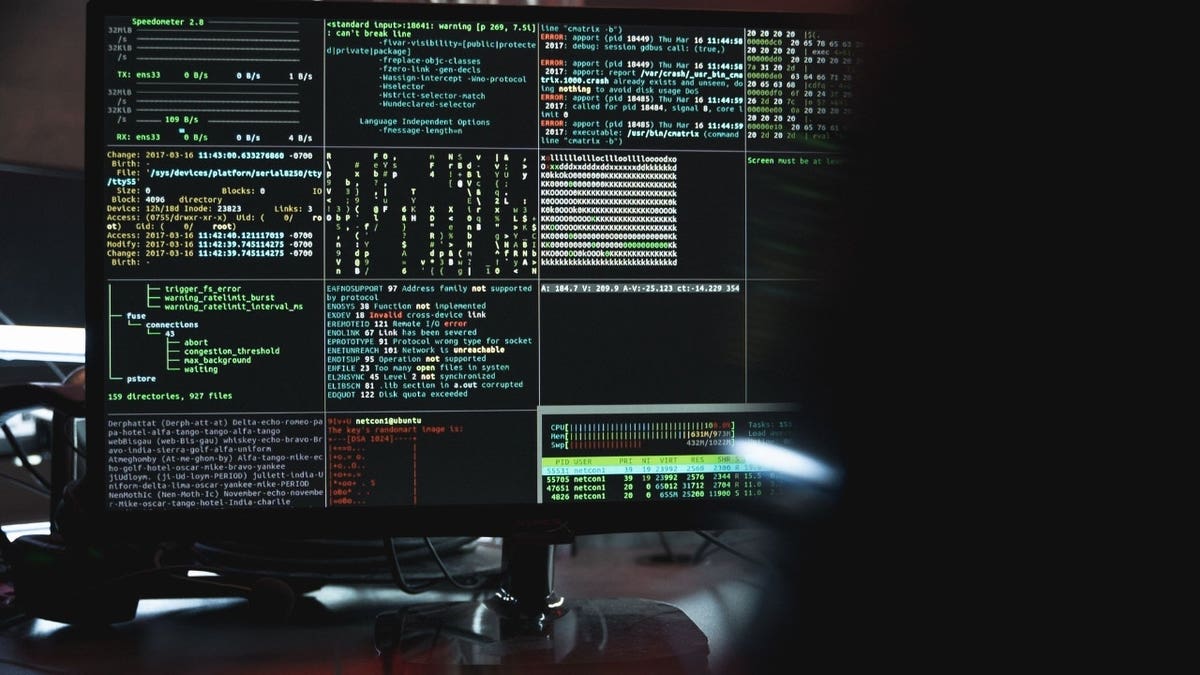
Verifying every software source, limiting permissions and using strong antivirus protection can help stop a malicious download before it spreads. (Kurt “CyberGuy” Knutsson)
How AI companies can reduce HalluSquatting attacks
AI companies can make searches mandatory before agents retrieve outside resources. They can also require human approval before an agent runs downloaded code. Stronger warnings should appear when a resource has little history or comes from an unverified owner.
Meanwhile, software platforms could identify frequently hallucinated names before attackers register them. Platforms may also restrict the reuse of well-known project names under unrelated accounts. Security layers that inspect downloaded instructions could reduce exposure. However, researchers warn that no single control can remove the entire risk.
The HalluSquatting researchers notified affected vendors before publishing their work. They also withheld details that they believed attackers could reuse. The paper does not claim that every tested application has released a complete fix. HalluSquatting reflects a broader weakness in how AI agents generate and trust resource names.
Ways to stay safe from HalluSquatting
HalluSquatting depends on an AI assistant trusting an unverified resource and acting with little supervision. These steps can interrupt that chain before an attacker gains access to your computer.
1) Verify the official repository before downloading it
Do not rely on an AI-generated repository name alone. Visit the developer’s official website. Then, follow its link to the correct repository or software download page. Check the account owner as well as the project name. An attacker may use a familiar project name under an unrelated account. You should also review the repository’s history. A newly created account with little activity deserves extra scrutiny.
2) Make the AI search before installing anything
Tell the assistant to perform a live web search before cloning, fetching or installing a resource. Ask it to show you the official owner and full address before it takes action. Then, compare that information with the developer’s website. This step can reduce the chance that an AI model will rely on an invented name. Still, you should review the result yourself before approving a download.
3) Turn off automatic command approval
Avoid modes that allow an AI agent to run terminal commands without asking you first. Some coding tools call these auto-run, skip-permissions or unrestricted modes. The exact wording depends on the application. Require approval for each command, especially when the AI downloads an outside file. Also stop the process when the assistant cannot clearly explain what a command will do.
4) Review every terminal command
Read the full command before approving it. Be cautious when a command connects to an unfamiliar website or downloads an additional script. Commands that change security settings also deserve close attention. Do not approve a command because the AI says it is safe. Verify unfamiliar commands through official documentation.
5) Limit the AI agent’s permissions
Avoid running an AI coding assistant with administrator access unless the task requires it. Only give the agent access to the files needed for the current project. Keep tax records, personal documents and private photos outside its working folders. In addition, remove integrations the agent no longer needs. Those may include cloud storage accounts or workplace systems. An attacker can cause less damage when the compromised agent has fewer permissions.
6) Use a sandbox or virtual machine
Test unfamiliar AI-generated code inside an isolated environment. A virtual machine, development container or sandbox can separate the code from the rest of your computer. If something goes wrong, the malicious activity may remain contained. Security researchers also recommend isolated installation environments for AI-generated package commands.
7) Use strong antivirus software
Strong antivirus software can add another layer of protection. It may detect a malicious download, suspicious script or unexpected attempt to change your system. Some security tools can also block connections to known dangerous websites. However, antivirus software cannot guarantee that an AI assistant will select the correct repository. You still need to verify the source and review commands. Keep real-time protection enabled. In addition, allow the software to update its threat definitions automatically. Get my picks for the best 2026 antivirus protection winners for your Windows, Mac, Android and iOS devices at Cyberguy.com
8) Protect passwords and API keys
AI coding tools may work with passwords, access tokens or API keys. Those credentials can give an attacker access to valuable accounts. Do not store sensitive credentials in plaintext project files. Instead, use secure environment variables or a trusted secrets manager. Use strong and unique passwords for important accounts. A password manager can create and store them. Also turn on two-factor authentication wherever it is available. That can make a stolen password harder to use.
9) Keep your computer and AI tools updated
Install updates for your operating system, browser and AI applications. Updates may fix security problems or add stronger approval controls. They may also improve how an AI tool verifies outside resources. However, HalluSquatting relies partly on AI hallucinations. Therefore, software updates alone may not remove the risk.
10) Use trusted package and dependency controls
Businesses and development teams should limit which software sources AI agents can access. Teams can create allowlists for trusted publishers. They can also pin package versions and verify cryptographic hashes. Automated dependency scanners may flag known vulnerabilities before software reaches a live system. Software bills of materials can help teams track where each component came from. They also make it easier to identify affected projects after a security problem appears.
11) Watch for signs that an AI agent went off course
Review the agent’s activity history when the application provides one. Look for unexpected downloads or commands you do not remember approving. New software, unusual pop-ups or unexplained computer slowdowns may also warrant a closer look. If you suspect that an AI agent ran malicious code, disconnect the computer from the internet. Then, run a full antivirus scan. Change important passwords from a different trusted device. You should also revoke exposed API keys or access tokens.
Kurt’s key takeaways
We already know AI can confidently make things up. HalluSquatting shows what can happen when an AI tool acts on its own bad answer. An assistant may invent a software address and download files controlled by an attacker. If the agent has terminal access, it may also run malicious instructions using your permissions. The research does not show that HalluSquatting attacks are suddenly infecting computers everywhere. However, it exposes a security gap that AI companies need to address as agents gain more control. For now, do not give an AI assistant unlimited freedom to install software or run commands. Verify every source, keep approval controls turned on and use strong security software as a backup layer.
How much control would you feel comfortable giving an AI assistant over your computer before it has to stop and ask for permission? Let us know by writing to us at Cyberguy.com
CLICK HERE TO DOWNLOAD THE FOX NEWS APP
Sign up for my FREE CyberGuy Report
- Get my best tech tips, urgent security alerts and exclusive deals delivered straight to your inbox.
- For simple, real-world ways to spot scams early and stay protected, visit CyberGuy.com – rusted by millions who watch CyberGuy on TV daily.
- Plus, you’ll get instant access to my Ultimate Scam Survival Guide free when you join.
Copyright 2026 CyberGuy.com. All rights reserved.
